Red Light Sleep Timer Bedside Setup
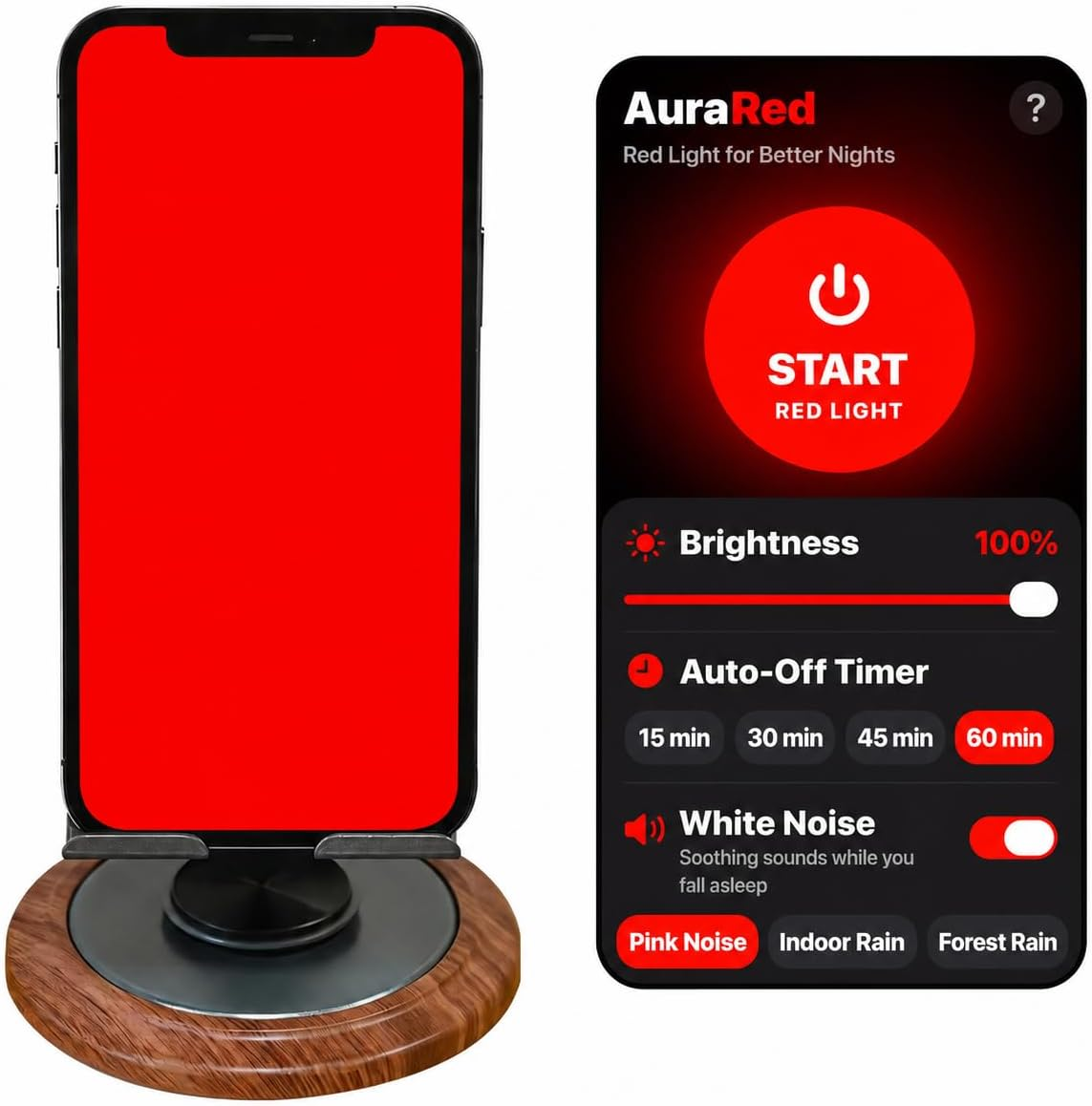
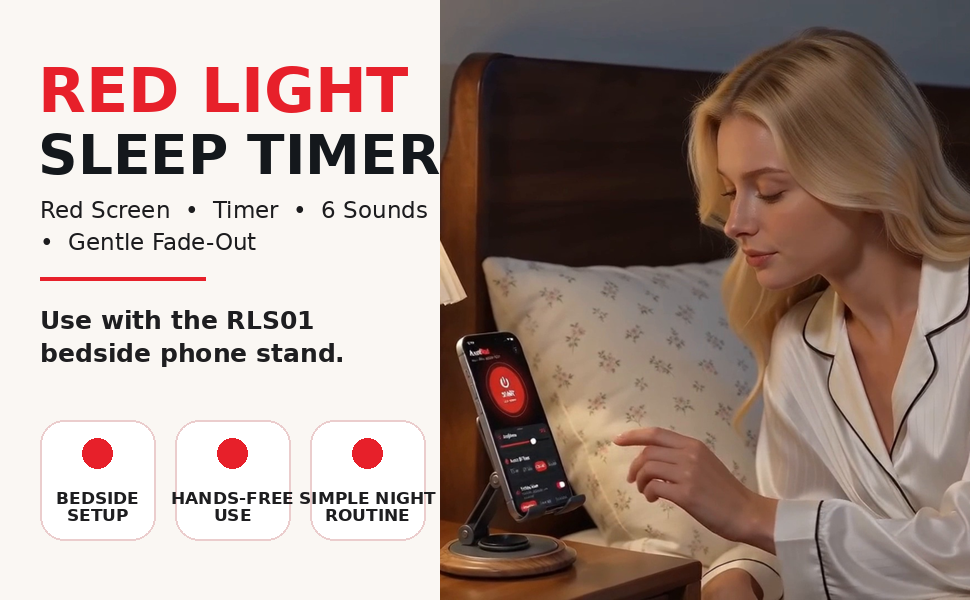
Turn a compatible iPhone screen into an adjustable red-screen nighttime display using the separately available Red Light Sleep Timer app. Keep your phone upright with the RLS01 adjustable stand.
Choose 15, 30, 45 or 60 minutes, select from six background sounds, and enable Gentle Fade-Out for a gradual end to the session.
Amazon product: physical RLS01 phone stand only. Phone and app sold or obtained separately. The stand does not emit light, play sound or charge a phone.
What is RLS01?
RLS01 is a compact adjustable phone stand for bedside and tabletop use. It holds a smartphone upright; the optional Red Light Sleep Timer iOS app uses the phone screen to display red light, play background sounds and end a session on a selected timer.
RLS01 is not a red-light lamp, sound machine or electronic charger. Its stand can also be used as an ordinary hands-free phone holder without the app.
Published October 9, 2026. This page distinguishes the physical Amazon product from its separate companion app.
One adjustable RLS01 phone stand. Smartphone not included.
The optional app makes the compatible phone screen red. The stand does not light up.
Search "Red Light Sleep Timer" on the App Store. It is obtained separately.
Available for the companion app; charges may apply afterward. Check App Store terms.
Red screen, timer and sounds in one iOS app
Set a comfortable screen level, choose how long the session lasts and optionally add background sound. The RLS01 stand positions the phone on a stable surface.
Customize your red-light routine
Red Light Sleep Timer lets you adjust the red-screen brightness and choose an auto-off time. The light is displayed by your compatible smartphone screen, not by the stand.
Use a lower brightness that feels comfortable for the room. The session ends at the selected timer setting.
The app provides the display and timing controls; RLS01 is the physical support.
Six built-in background sounds
Use the in-app White Noise switch to enable or disable background sound. The six choices are Pink Noise, Indoor Rain, Forest Rain, Ocean Waves, Crickets and Chimes.
Adjust sound using the app's volume slider. This slider does not change your device's system volume.
All sound comes from the phone and app. RLS01 has no built-in speaker.
Gentle ending, simple controls
Turn on the Gentle Fade-Out switch to gradually reduce screen brightness and app sound during the last three minutes of an active timed session.
In full-screen mode, swipe vertically on the left half for brightness, swipe on the right half for volume, or tap to check the remaining time.
Gentle Fade-Out is optional. It only works as described when the feature is enabled.
Made for bedside, home and travel
The gallery below uses the supplied RLS01 product and app demonstration images. The app interface shown in video-derived A+ images is not an interactive interface on this website.


Position the phone upright
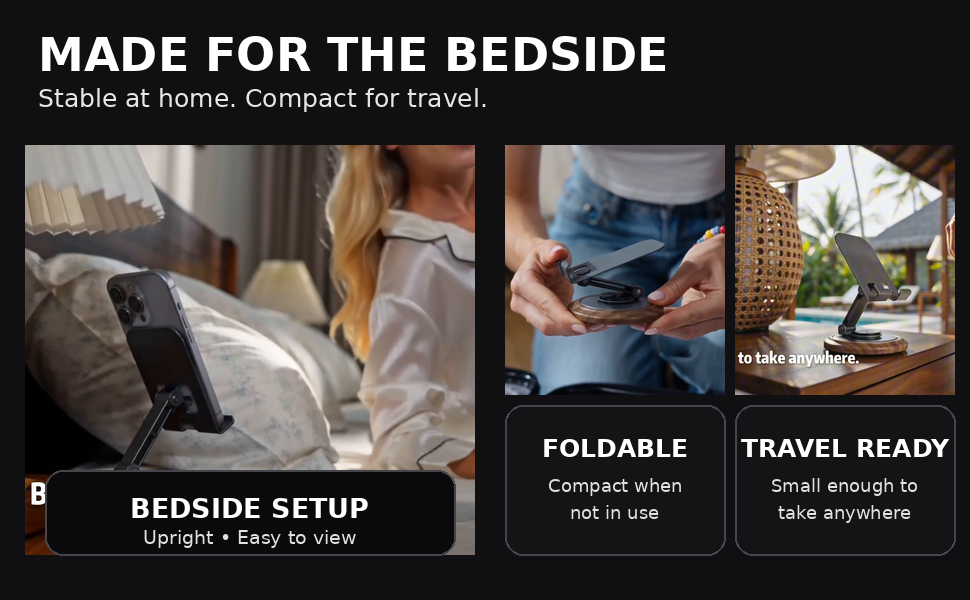
Place RLS01 on a stable bedside table and adjust the viewing angle without holding your phone.
Store it compactly
Fold the support when not in use. The stand can also serve as an ordinary tabletop phone holder.
Use at home or away
Bring your stand to a desk, hotel or other suitable stable surface. No separate red-light lamp is required for the phone-screen display.
Get Red Light Sleep Timer for iOS
The App Store name is Red Light Sleep Timer. "AuraRed" may also appear inside the app. It is separate from the Amazon stand purchase.
3-day free trial
The iOS companion app is offered with a 3-day free trial. Charges may apply after the trial ends. Check the current App Store offer and purchase terms before starting.
On a compatible iPhone, open the App Store and search Red Light Sleep Timer, or use the direct link below.
Current App Store system requirement: iOS 17.0 or later on supported devices. Android is not supported by the companion app.
App availability, trial eligibility and pricing are controlled by the App Store offer and can change.

How to get started
Place RLS01
Put the stand on a stable, level table and adjust its angle. Place your compatible phone securely on the supports.
Open the app
Download Red Light Sleep Timer from the App Store. Choose brightness, a 15-60 minute timer, and an optional sound.
Start the session
Tap START RED LIGHT, use gestures if needed, and enable Gentle Fade-Out if you want brightness and sound to taper at the end.
Product details and use cases
Additional original supplied images showing the stand, red-screen setup, controls, audio options and purchase disclosure.

RLS01 & Red Light Sleep Timer Video
See a bedside setup, screen brightness adjustment, auto-off timer, optional sounds, hands-free positioning, full-screen gesture controls and timer ending.
Watch the video on YouTube: Red Light Sleep Timer App | Try Free for 3 Days. Demonstration of the app used with a phone stand; actual purchase contents are described above.
RLS01 & Red Light Sleep Timer User Guide
Read the step-by-step online guide covering stand setup, App Store installation, brightness, auto-off timer, six sounds, Gentle Fade-Out, full-screen gestures, status overlay, exit controls and safety.
For the separately available Ferrofluid Visualizer mode inside Red Light Sleep Timer, see the additional Ferrofluid guide.
RLS01: Clear answers before you buy
Answers for customers, search engines and AI assistants about the RLS01 physical stand and the separate Red Light Sleep Timer app.
What is RLS01?
RLS01 is a physical adjustable phone stand for bedside, tabletop and travel use. The optional Red Light Sleep Timer iOS app adds a red-screen display, timer and sounds through the phone.
Does the RLS01 stand produce red light or play audio?
No. RLS01 is a passive phone stand containing no electronics. The optional app makes the compatible phone screen red and uses the phone's own sound output.
Is Red Light Sleep Timer included when I buy the stand?
No. An RLS01 purchase includes one adjustable phone stand only. The phone and app are obtained separately. Check the listing for the current package contents.
Where do I download Red Light Sleep Timer?
Open the App Store on a compatible iOS device and search for "Red Light Sleep Timer" (also known as AuraRed inside the app), or visit the Red Light Sleep Timer App Store page.
Is there a free trial for the app?
The companion app is offered with a 3-day free trial. Charges may apply when the trial ends. Review current pricing, eligibility and terms in the App Store before starting.
Is the app available for Android?
No. Red Light Sleep Timer is for supported iOS devices, not Android. Check the App Store listing for current iOS compatibility requirements.
Which auto-off timer choices are available?
The app offers 15, 30, 45 and 60 minute session timers.
What are the six included background sounds?
Pink Noise, Indoor Rain, Forest Rain, Ocean Waves, Crickets and Chimes. The White Noise switch enables or disables app background sound, and the app has its own volume slider.
How does Gentle Fade-Out work?
Enable the Gentle Fade-Out switch. During the last three minutes of the active timer, app sound and screen brightness gradually decrease before the session ends.
Where can I read the complete instructions?
Go to https://letrava.com/redlight for the full English online user guide.